

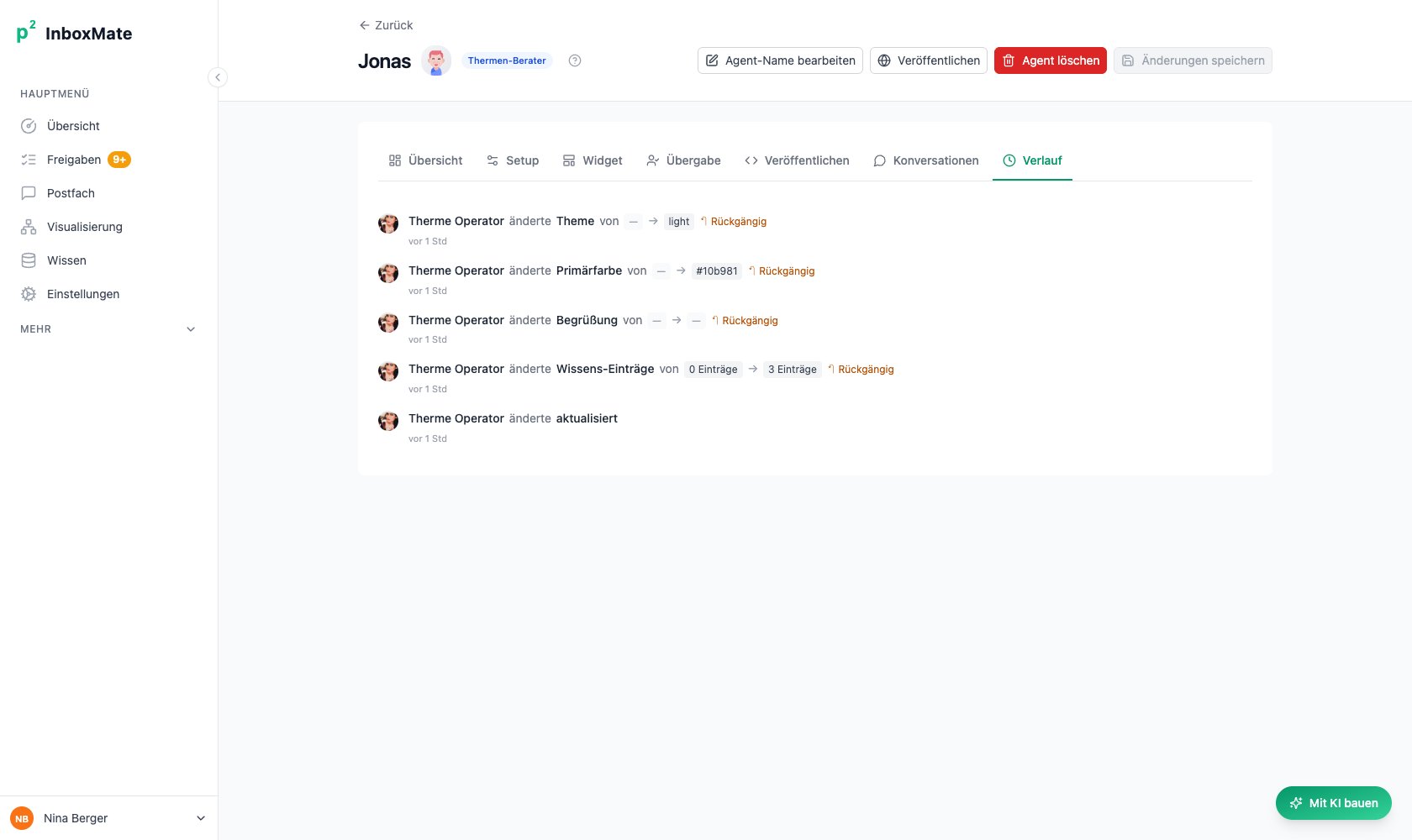
Every change with person, timestamp and the value before and after.
What gets logged
Dual avatars on AI-driven changes
When Pam (the Builder assistant) makes a change on your behalf, the history row shows:- Your avatar as the main face (you initiated the change).
- Pam’s avatar as a small overlay in the bottom-right of your avatar.
- A via Builder chip next to your name.
Revert a change
Each history row whose change is the most recent for its field shows a ↶ Rückgängig button. Clicking it:- Opens a confirm modal: “Diese Änderung an X wirklich zurücksetzen?”
- On confirm, writes the before value back to the agent.
- Records the rollback as a new audit row tagged Zurückgesetzt.
Only the latest change per field is revertable. Older entries don’t show the button because reverting an older change would either no-op (if it was already overwritten) or skip intermediate edits silently — both confusing. To roll back further, revert from the top of the list down.
What’s NOT in the history
- Knowledge bucket content — adding/removing entries inside a bucket is logged on the bucket, not the agent. The agent only logs the link/unlink event.
- Conversation messages — those live in the Konversationen tab. Audit is for the agent’s configuration, not its outputs.
- Read events — opening the agent or running Pam without making changes leaves no audit trail. Only writes are logged.